Visually communicate your scientific data with R

Designing scientific figures

Eric Largy

ARNA, INSERM U1212, CNRS UMR 5320, Université de Bordeaux

UFR des Sciences Pharmaceutiques, Université de Bordeaux

April 22, 2026

Introduction to Grammar of Graphics

A framework for data visualization

Introduced by Leland Wilkinson (The Grammar of Graphics, 2005).

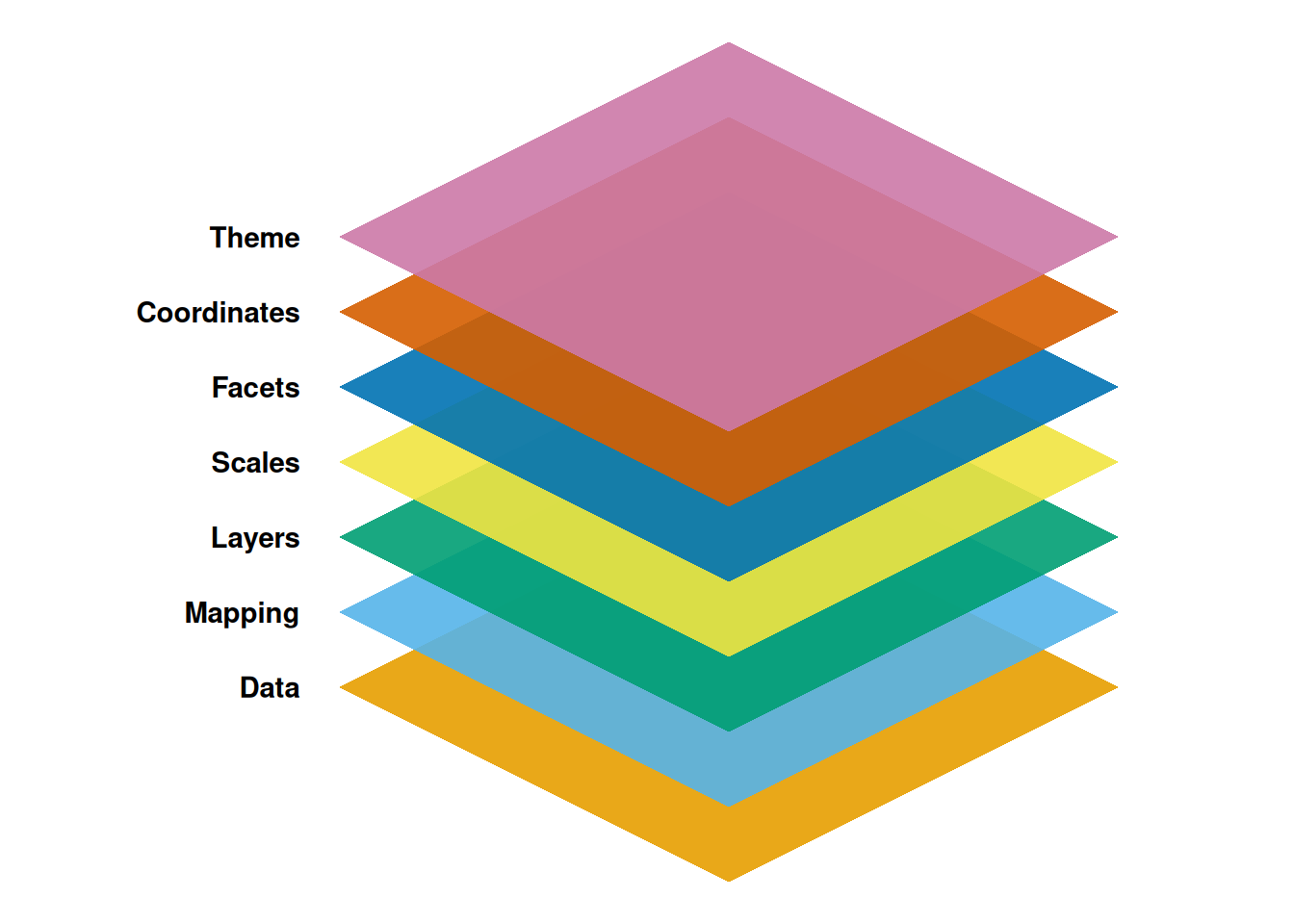
Graphics can be built up from a set of components:

  • Data: the dataset to be visualized
  • Variables: mapping of objects to values
  • Algebra: operations to combine variables and specify dimensions
  • Scales: represent variables on measured dimensions
  • Statistics: functions to change the appearance and representation
  • Geometry: creation of geometric graphs from variables
  • Coordinates: mapping to coordinate systems
  • Aesthetics: sensory attributes
  • Facets: subplots based on subsets of data
  • Guides: legends and axes to explain the graph

Adapted to R in the ggplot2 package
Example: Data should be formatted with 1 column per variable

library(dplyr)
library(data.table)
library(DT)
library(ggplot2)

DT::datatable(mpg)

ggplot initialization provides a plotting area

library(ggplot2)

ggplot(mpg)

Mapping x and y coordinates provide axes
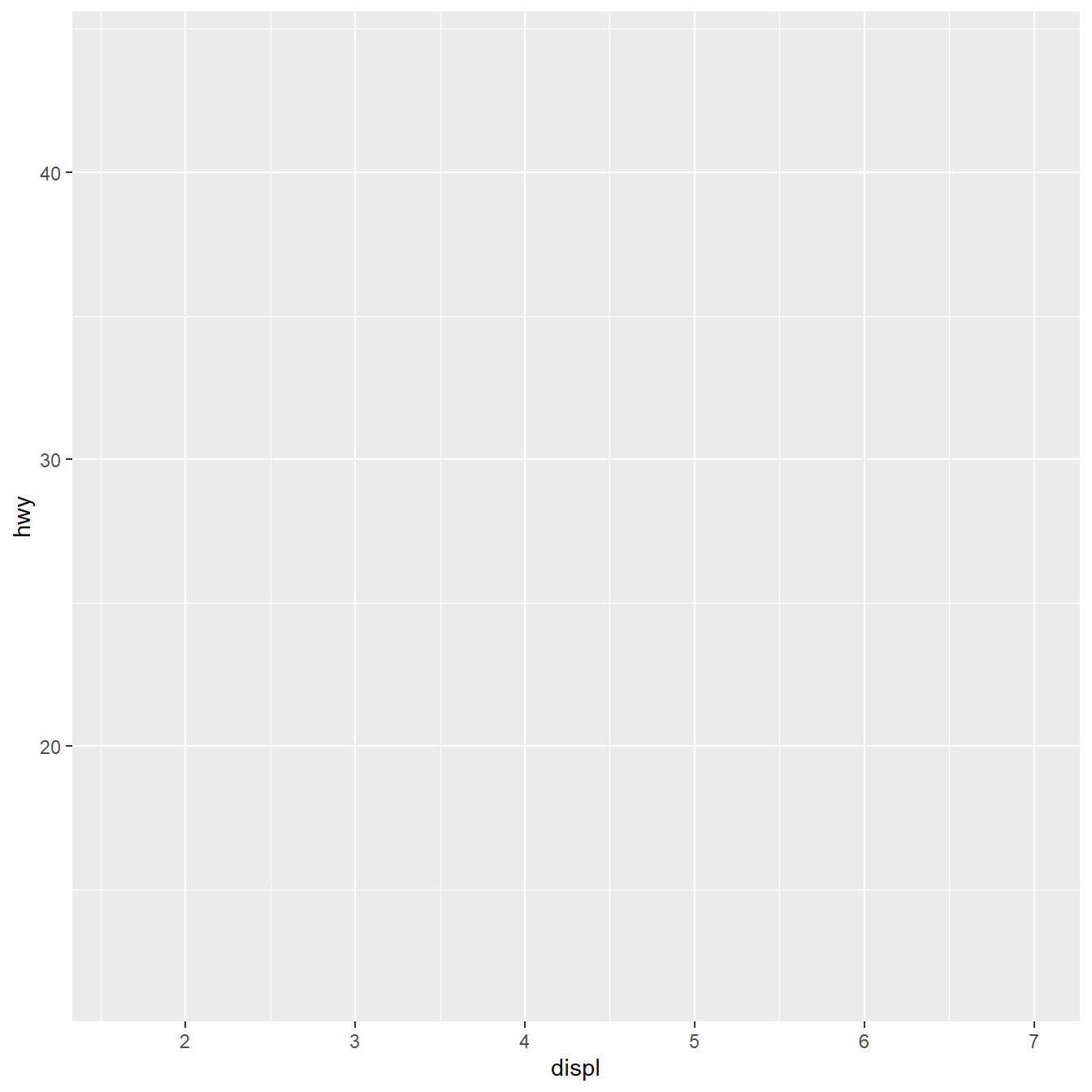
library(ggplot2)

ggplot(
  mpg,
  mapping = aes(x = displ, y = hwy)
)

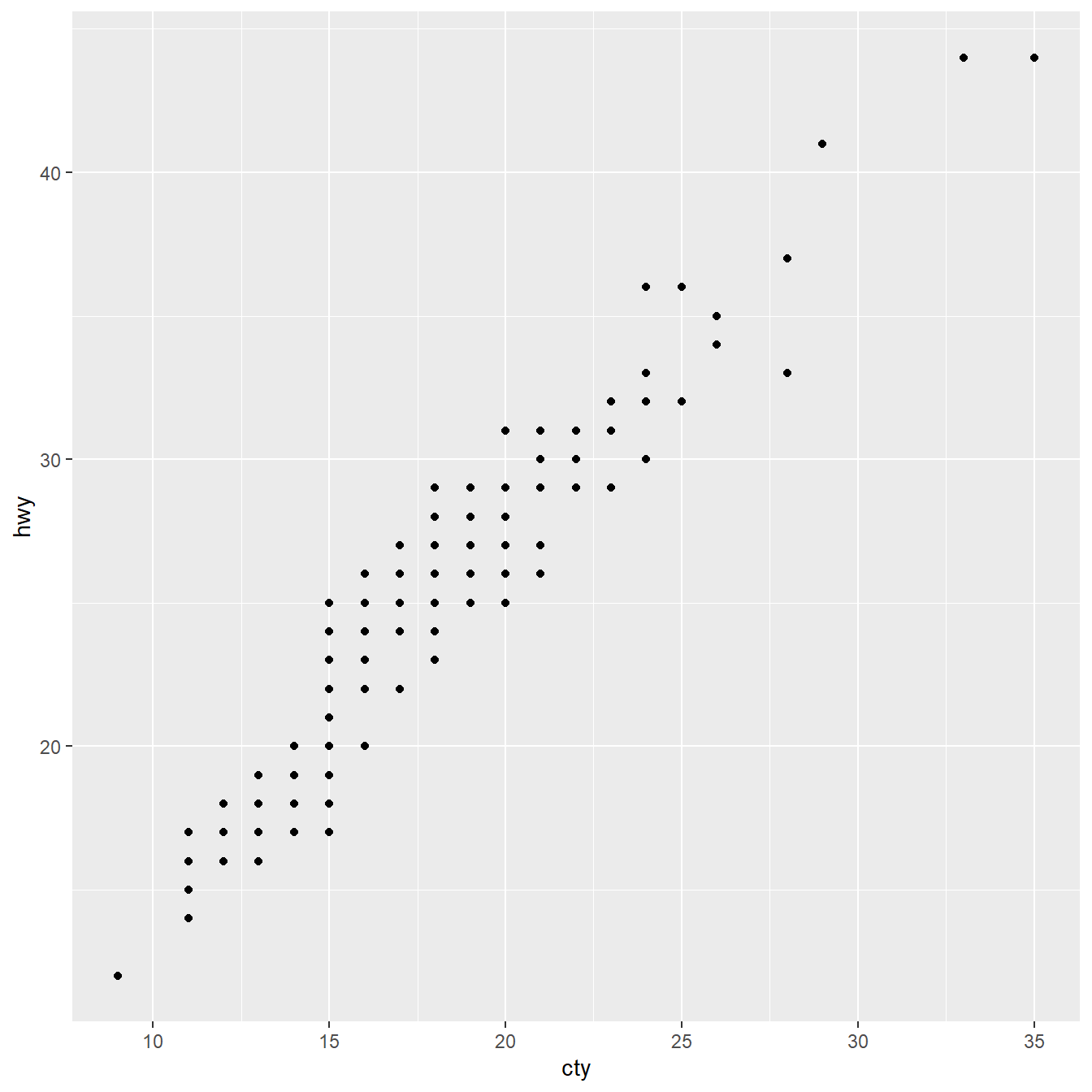
Geometries can be added as layers

library(ggplot2)

ggplot(
  mpg,
  mapping = aes(
    x = cty,
    y = hwy
  )
) +
  geom_point()

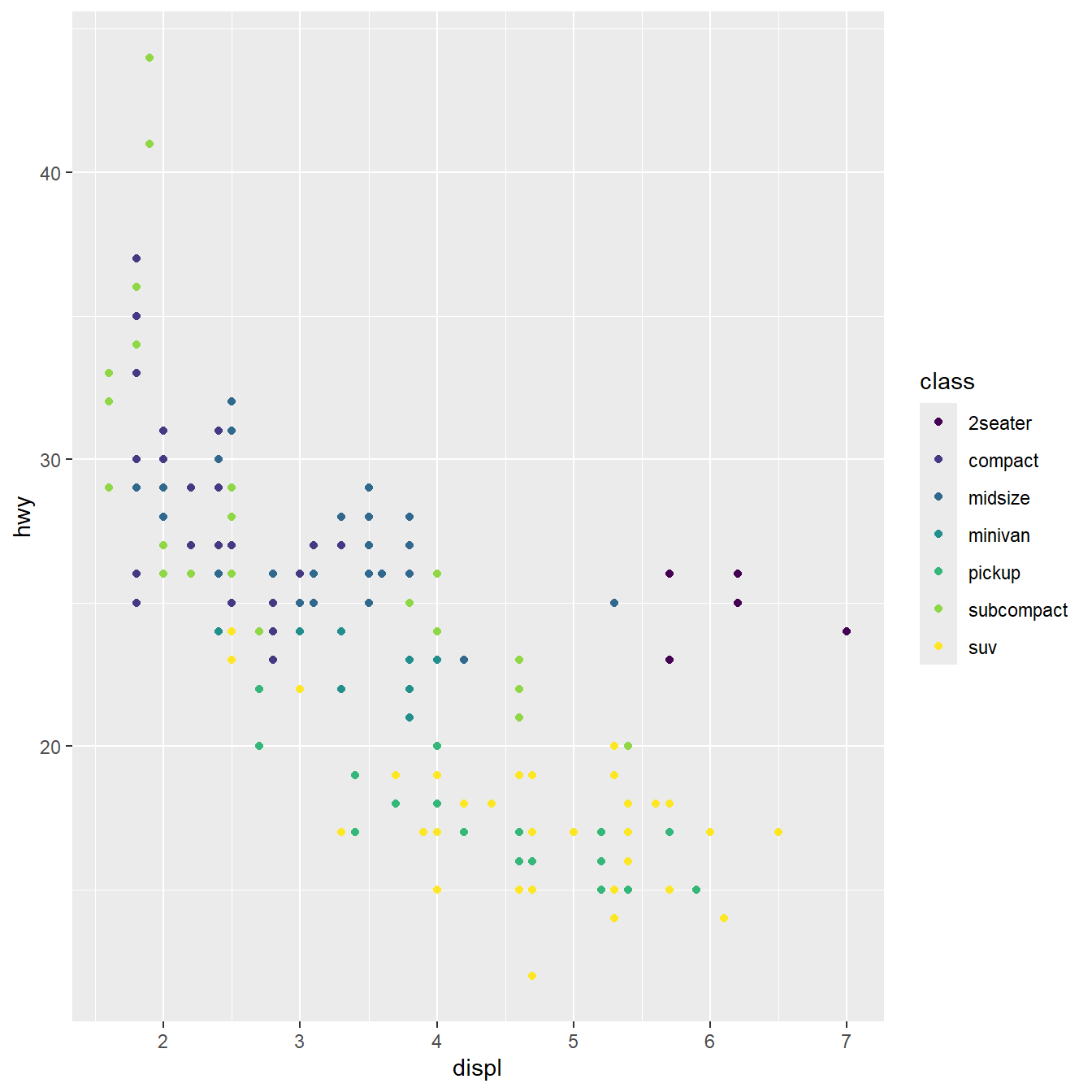
Scales can be applied to aesthetics

library(ggplot2)

ggplot(
  mpg,
  mapping = aes(
    x = displ,
    y = hwy,
    colour = class
  )
) +
  geom_point() +
  scale_colour_viridis_d()

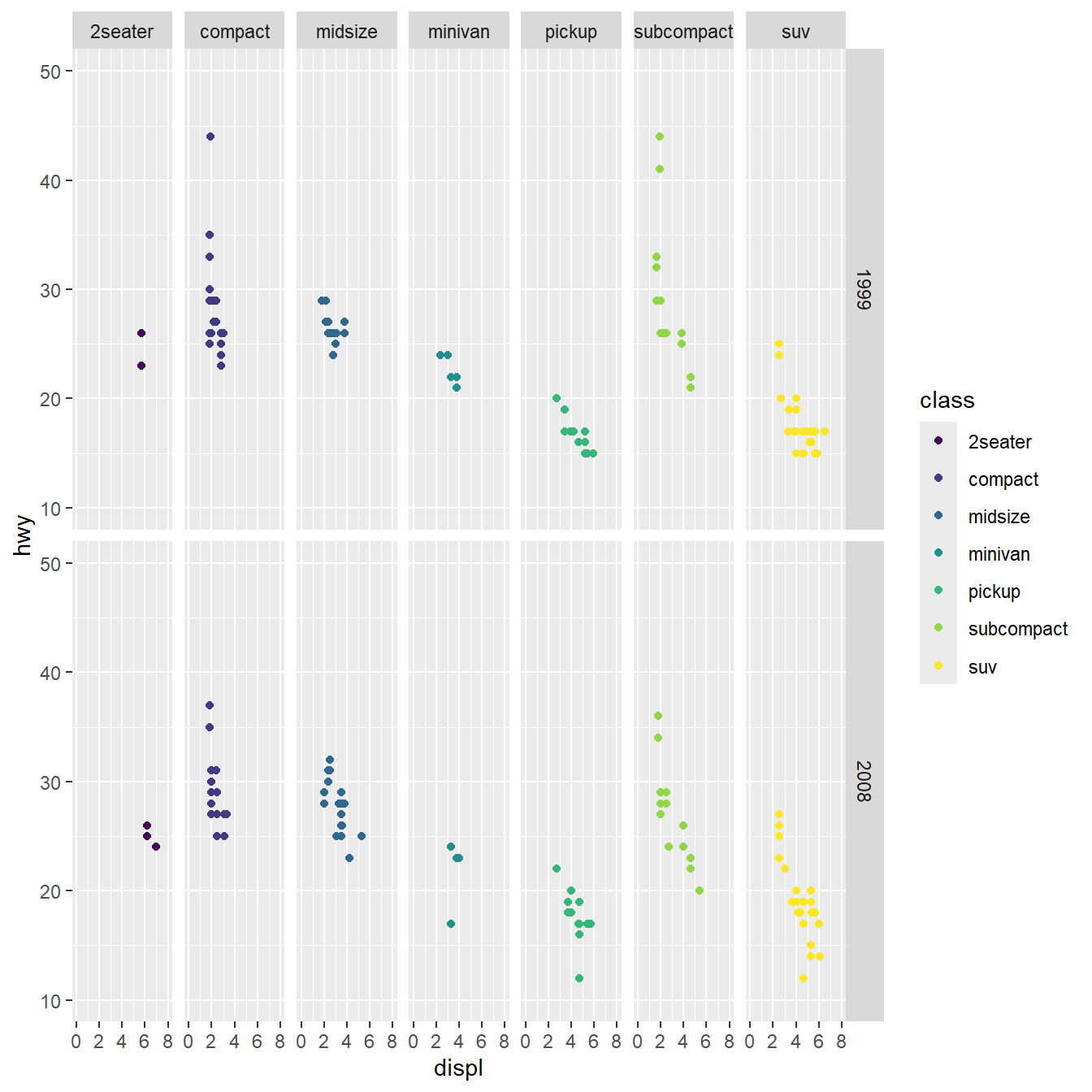
Facetting allows generating many subplots
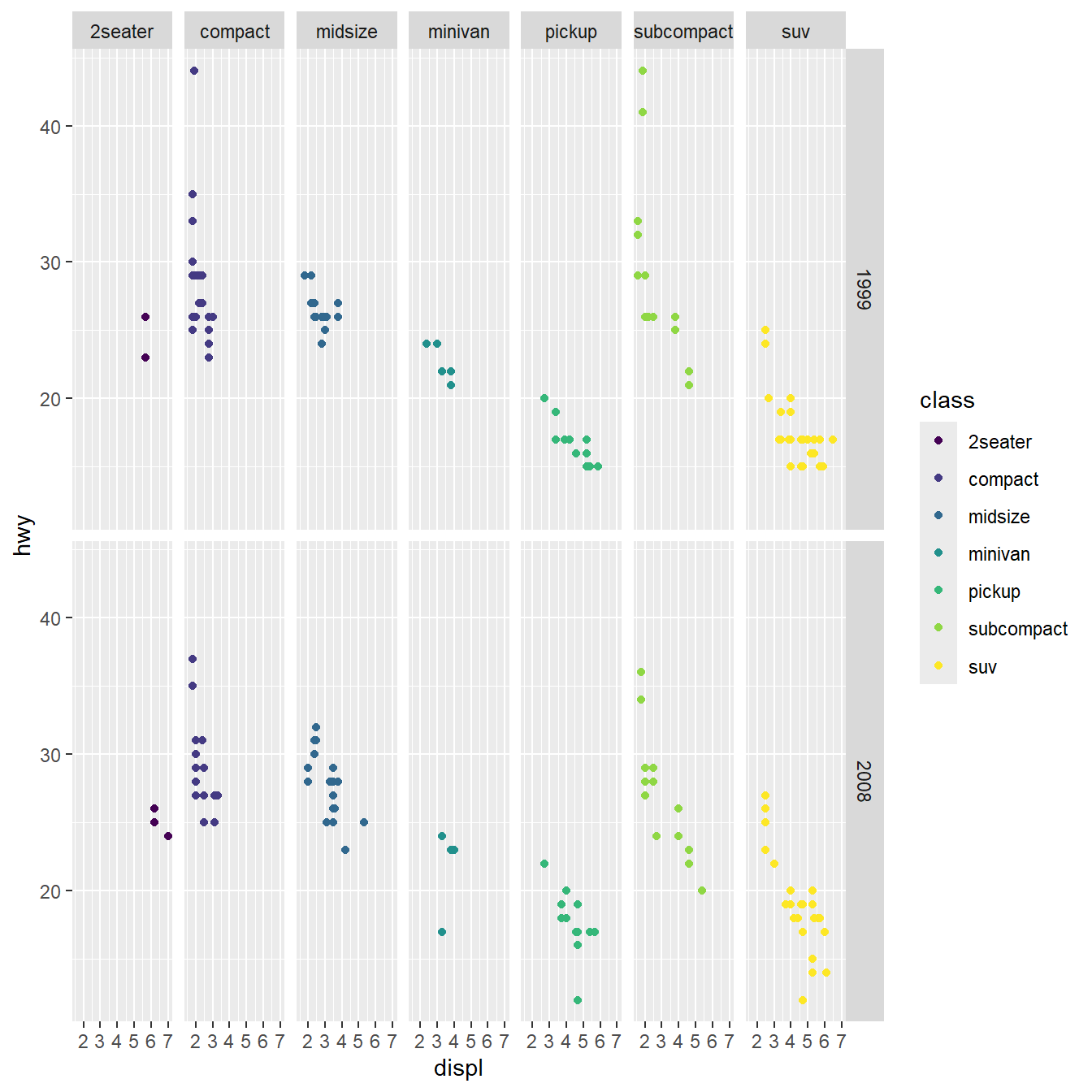
library(ggplot2)

ggplot(
  mpg,
  mapping = aes(
    x = displ,
    y = hwy,
    colour = class
  )
) +
  geom_point() +
  scale_colour_viridis_d() +
  facet_grid(year ~ class)

Coordinates allows re-scaling

library(ggplot2)

ggplot(
  mpg,
  mapping = aes(
    x = displ,
    y = hwy,
    colour = class
  )
) +
  geom_point() +
  scale_colour_viridis_d() +
  facet_grid(year ~ class) +
  coord_cartesian(
    xlim = c(0, 8),
    ylim = c(10, 50)
  )

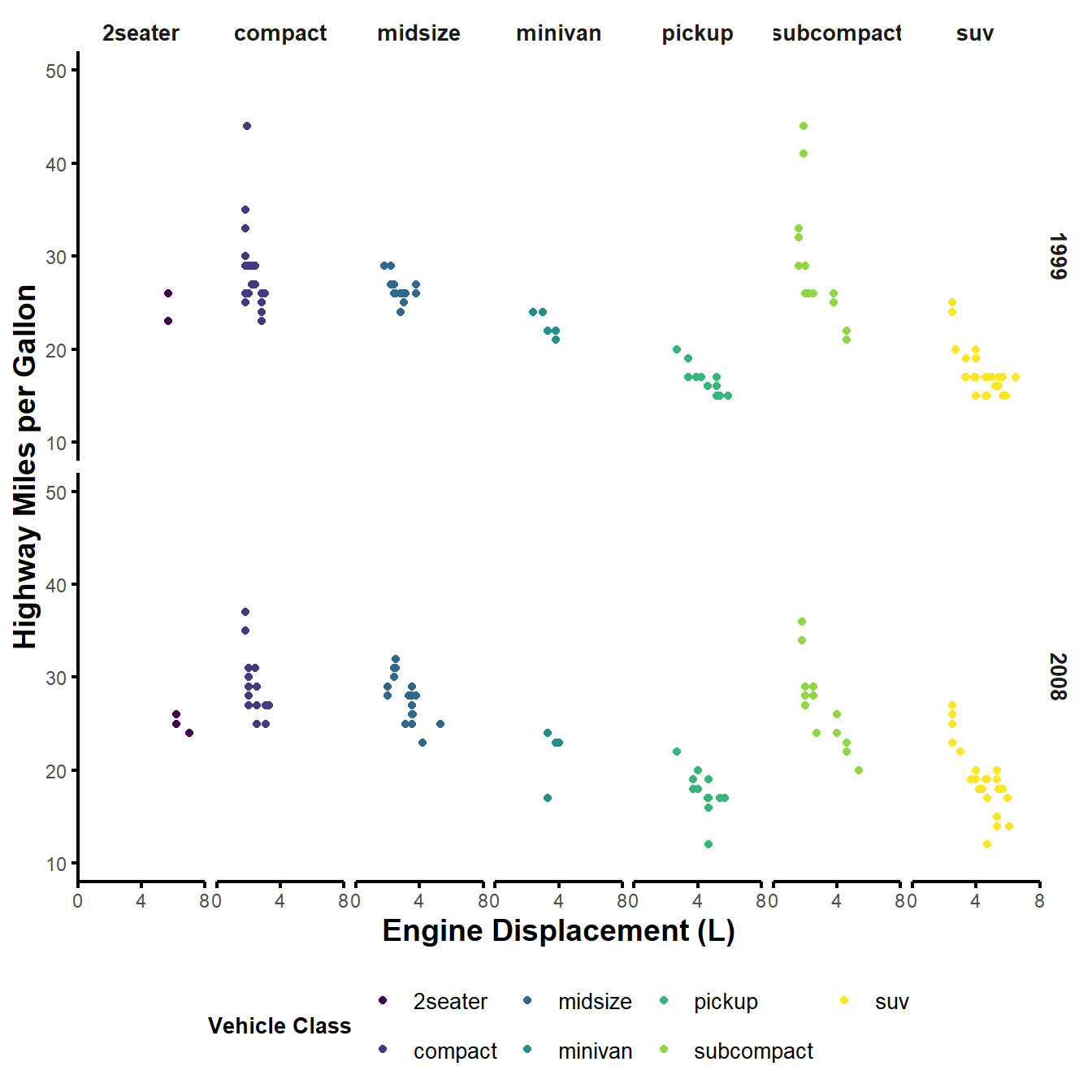
Make it pretty/corporate/legible with a theme

library(ggplot2)

ggplot(
  mpg,
  mapping = aes(
    x = displ,
    y = hwy,
    colour = class
  )
) +
  geom_point() +
  scale_colour_viridis_d() +
  facet_grid(year ~ class) +
  coord_cartesian(
    xlim = c(0, 8),
    ylim = c(10, 50),
    clip = "off"
  ) +
  theme_minimal() +
  theme(
    panel.grid.major = element_blank(),
    panel.grid.minor = element_blank(),
    legend.position = "bottom",
    axis.title = element_text(size = 14, face = "bold"),
    axis.line = element_line(color = "black", size = 0.75),
    axis.ticks = element_line(color = "black", size = 0.75),
    legend.title = element_text(face = "bold", size = 10),
    legend.text = element_text(size = 10),
    strip.text = element_text(face = "bold", size = 10)
  ) +
  scale_x_continuous(
    name = "Engine Displacement (L)",
    breaks = seq(0, 8, 4),
    limits = c(0, 8),
    expand = c(0, 0)
  ) +
  scale_y_continuous(name = "Highway Miles per Gallon") +
  labs(colour = "Vehicle Class")
Setup of the environment

Tidyverse install verification

if (!requireNamespace("tidyverse", quietly = TRUE)) {
  install.packages("tidyverse")
}

library(tidyverse)

Data.table install verification

if (!requireNamespace("data.table", quietly = TRUE)) {
  install.packages("data.table")
}

library(data.table)

# version check
packageVersion("data.table")
[1] '1.17.99'

Reminders on variables and data types and modes

Assigning and printing numeric variables

a <- 42L
b <- 42
c <- pi
print(a) # prints the value of a
[1] 42
a # also prints the value of a
[1] 42
class(a) # integer is a class
[1] "integer"
# integer is a type
# (32-bit integer storage)
typeof(a) 
[1] "integer"
class(b) # numeric is a class
[1] "numeric"
# numeric type stored as double
# (64-bit floating point)
typeof(b)
[1] "double"
class(c)
[1] "numeric"
typeof(c)
[1] "double"

Assigning and printing character variables

a_string <- "fourty-two"

a_string
[1] "fourty-two"

Assigning and printing boolean variables

a_boolean <- TRUE
b_boolean <- FALSE

c(a_boolean, b_boolean)
[1]  TRUE FALSE

Null, missing values and infinities

a_null <- NULL
a_missing <- NA
a_nan <- NaN
a_inf <- Inf
a_minus_inf <- -Inf
char_missing <- NA_character_
real_missing <- NA_real_
int_missing <- NA_integer_

str(
  list(
    a_null = a_null,
    a_missing = a_missing,
    a_nan = a_nan,
    a_inf = a_inf,
    a_minus_inf = a_minus_inf,
    char_missing = char_missing,
    real_missing = real_missing,
    int_missing = int_missing
  )
)
List of 8
 $ a_null      : NULL
 $ a_missing   : logi NA
 $ a_nan       : num NaN
 $ a_inf       : num Inf
 $ a_minus_inf : num -Inf
 $ char_missing: chr NA
 $ real_missing: num NA
 $ int_missing : int NA

A NULL value is not missing

a_null <- NULL
a_missing <- NA
a_nan <- NaN
a_inf <- Inf
a_minus_inf <- -Inf
char_missing <- NA_character_
real_missing <- NA_real_
int_missing <- NA_integer_

cat(
  "NULL represents the absence of a value or object,",
  "\nwhile NA represents a missing value in a vector.",
  "\n\nThe length of a NULL value is",
  length(a_null),
  ",\nwhile the length of a missing value is",
  length(a_missing),
  "."
)
NULL represents the absence of a value or object, 
while NA represents a missing value in a vector. 

The length of a NULL value is 0 ,
while the length of a missing value is 1 .

Factors are important for ordering elements in visualizations

a_factor <- factor(
  c("low", "medium", "high", "medium", "low")
)

a_factor
[1] low    medium high   medium low   
Levels: high low medium
# Removing the "medium" level from the factor
droplevels(a_factor, "medium")
[1] low  <NA> high <NA> low 
Levels: high low
# Adding data with a new level "very high"
new_data <- c("very high", "low")
factor_vec <- c(
  a_factor,
  factor(new_data, levels = c(levels(a_factor), "very high"))
)
factor_vec
[1] low       medium    high      medium    low       very high low      
Levels: high low medium very high

Creating vectors

# Explicit creation
a_vector <- c(1:10, "coucou")

a_vector
 [1] "1"      "2"      "3"      "4"      "5"      "6"      "7"      "8"     
 [9] "9"      "10"     "coucou"
# Implicit integer creation
int_vector <- 1:10

int_vector
 [1]  1  2  3  4  5  6  7  8  9 10

R coerces all elements to the most flexible type

a_vector <- c(1:10, "coucou")

class(a_vector)
[1] "character"

Subsetting vectors by position, logical and negative indexing

a_vector <- c(1:10, "coucou")
# R is 1-indexed
# so the first element is at position 1
a_vector[c(1:3, 11)]
[1] "1"      "2"      "3"      "coucou"
# Logical indexing
a_vector[
  c(TRUE, TRUE, TRUE, rep(FALSE, 7), TRUE)
]
[1] "1"      "2"      "3"      "coucou"
# Negative indexing
a_vector[-c(4:10)]
[1] "1"      "2"      "3"      "coucou"

Naming vector elements

b_vector <- c(1:5)

names(b_vector) <- c(
  "one",
  "two",
  "three",
  "four",
  "five"
)

b_vector
  one   two three  four  five 
    1     2     3     4     5 

Accessing named vector elements with [] and [[]]

b_vector["three"] #named element
three 
    3 
b_vector[["three"]] #scalar element
[1] 3

Modifying elements and types of a vector

b_vector <- c(1:5)

a <- 42

b_vector[3] <- a

b_vector[1] <- "one"

b_vector
[1] "one" "2"   "42"  "4"   "5"  
b_vector[1] <- 1

b_vector
[1] "1"  "2"  "42" "4"  "5" 
# Coercion to integer
# Only for printing here!
# The original vector is still character!
as.integer(b_vector)
[1]  1  2 42  4  5

Creating and inspecting lists

# lists cannot contain
# different types of data
# but can contain different types of objects,
# including vectors

a_list <- list(
  numeric_vector = c(1, 2, 3, 4),
  character_vector = c("a", "b", "c"),
  mixed_vector = c(1, "b", TRUE),
  nested_list = list(
    numeric_vector = c(5, 6, 7, 8),
    character_vector = c("d", "e", "f"),
    mixed_vector = c(9, "g", FALSE)
  )
)

a_list
$numeric_vector
[1] 1 2 3 4

$character_vector
[1] "a" "b" "c"

$mixed_vector
[1] "1"    "b"    "TRUE"

$nested_list
$nested_list$numeric_vector
[1] 5 6 7 8

$nested_list$character_vector
[1] "d" "e" "f"

$nested_list$mixed_vector
[1] "9"     "g"     "FALSE"

Accessing list elements by name with $

a_list <- list(
  numeric_vector = c(1, 2, 3, 4),
  character_vector = c("a", "b", "c"),
  mixed_vector = c(1, "b", TRUE),
  nested_list = list(
    numeric_vector = c(5, 6, 7, 8),
    character_vector = c("d", "e", "f"),
    mixed_vector = c(9, "g", FALSE)
  )
)
a_list$mixed_vector
[1] "1"    "b"    "TRUE"

Accessing nested list elements by name with $

a_list <- list(
  numeric_vector = c(1, 2, 3, 4),
  character_vector = c("a", "b", "c"),
  mixed_vector = c(1, "b", TRUE),
  nested_list = list(
    numeric_vector = c(5, 6, 7, 8),
    character_vector = c("d", "e", "f"),
    mixed_vector = c(9, "g", FALSE)
  )
)
a_list$nested_list$character_vector
[1] "d" "e" "f"

Comparing list elements for equality

a_list <- list(
  numeric_vector = c(1, 2, 3, 4),
  character_vector = c("a", "b", "c"),
  mixed_vector = c(1, "b", TRUE),
  nested_list = list(
    numeric_vector = c(5, 6, 7, 8),
    character_vector = c("d", "e", "f"),
    mixed_vector = c(9, "g", FALSE)
  )
)
all(a_list$nested_list$character_vector == a_list$character_vector)
[1] FALSE
all(a_list$nested_list$character_vector == a_list$character_vector)
[1] FALSE
(a_list$numeric_vector[1] + 4) == a_list$nested_list$numeric_vector[1]
[1] TRUE

Subsetting lists: [ ] vs. [[ ]]

a_list <- list(
  numeric_vector = c(1, 2, 3, 4),
  character_vector = c("a", "b", "c"),
  mixed_vector = c(1, "b", TRUE),
  nested_list = list(
    numeric_vector = c(5, 6, 7, 8),
    character_vector = c("d", "e", "f"),
    mixed_vector = c(9, "g", FALSE)
  )
)

str(
  list(
    'dollar_name' = a_list$character_vector,
    'bracket_name' = a_list[["character_vector"]],
    'bracket_index' = a_list[[2]],
    'bracket_twice' = a_list[2][[1]]
  )
)
List of 4
 $ dollar_name  : chr [1:3] "a" "b" "c"
 $ bracket_name : chr [1:3] "a" "b" "c"
 $ bracket_index: chr [1:3] "a" "b" "c"
 $ bracket_twice: chr [1:3] "a" "b" "c"

What happens if we access a_list[2] vs. a_list[[2]]?

a_list[2]
$character_vector
[1] "a" "b" "c"
a_list[[2]]
[1] "a" "b" "c"

Creating matrices

mat <- matrix(1:9, nrow = 3)

mat
     [,1] [,2] [,3]
[1,]    1    4    7
[2,]    2    5    8
[3,]    3    6    9
matrix(1:9, nrow = 3)
     [,1] [,2] [,3]
[1,]    1    4    7
[2,]    2    5    8
[3,]    3    6    9
matrix(1:8, nrow = 3)
Warning in matrix(1:8, nrow = 3): data length [8] is not a sub-multiple or
multiple of the number of rows [3]
     [,1] [,2] [,3]
[1,]    1    4    7
[2,]    2    5    8
[3,]    3    6    1

Indexing matrices by row and column

mat <- matrix(1:9, nrow = 3)

mat
     [,1] [,2] [,3]
[1,]    1    4    7
[2,]    2    5    8
[3,]    3    6    9
mat[1, ] # First row
[1] 1 4 7
mat[, 2] # Second column
[1] 4 5 6
mat[1, 2] # Element at row 1, column 2
[1] 4

Creating dataframes as named list of vectors

a_df <- data.frame(
  id = 1:5,
  group = c("A", "A", "B", "B", "C"),
  value = c(10.2, 12.5, 9.8, 11.1, 13.0)
)

a_df
  id group value
1  1     A  10.2
2  2     A  12.5
3  3     B   9.8
4  4     B  11.1
5  5     C  13.0

Accessing column names with names()

a_df <- data.frame(
  id = 1:5,
  group = c("A", "A", "B", "B", "C"),
  value = c(10.2, 12.5, 9.8, 11.1, 13.0)
)

names(a_df)
[1] "id"    "group" "value"

Accessing dataframe columns with $

a_df <- data.frame(
  id = 1:5,
  group = c("A", "A", "B", "B", "C"),
  value = c(10.2, 12.5, 9.8, 11.1, 13.0)
)

a_df$group
[1] "A" "A" "B" "B" "C"
cat(
  "It is",
  is.vector(a_df$group),
  "that a_df$group is a vector, containing",
  class(a_df$group),
  "data."
)
It is TRUE that a_df$group is a vector, containing character data.

Accessing dataframe columns with $

a_df <- data.frame(
  id = 1:5,
  group = c("A", "A", "B", "B", "C"),
  value = c(10.2, 12.5, 9.8, 11.1, 13.0)
)

unique(a_df$group)
[1] "A" "B" "C"
sort(a_df$value)
[1]  9.8 10.2 11.1 12.5 13.0
sort(a_df$value, decreasing = TRUE)
[1] 13.0 12.5 11.1 10.2  9.8

Subsetting dataframes by row/column indices

a_df <- data.frame(
  id = 1:5,
  group = c("A", "A", "B", "B", "C"),
  value = c(10.2, 12.5, 9.8, 11.1, 13.0)
)

# Select rows 1 and 3, all columns
a_df[c(1, 3), ]
  id group value
1  1     A  10.2
3  3     B   9.8
# Select all rows, columns 1 and 3
a_df[, c(1, 3)]
  id value
1  1  10.2
2  2  12.5
3  3   9.8
4  4  11.1
5  5  13.0
# Select rows 1 to 3, columns "id" and "value"
a_df[1:3, c("id", "value")]
  id value
1  1  10.2
2  2  12.5
3  3   9.8
# Select rows where group is "A" or "B",
# and columns 1 to 3
a_df[
  a_df$group %in% c("A", "B"),
  1:3
]
  id group value
1  1     A  10.2
2  2     A  12.5
3  3     B   9.8
4  4     B  11.1

Subsetting dataframes by column names

a_df <- data.frame(
  id = 1:5,
  group = c("A", "A", "B", "B", "C"),
  value = c(10.2, 12.5, 9.8, 11.1, 13.0)
)

a_df[c("id", "value")]
  id value
1  1  10.2
2  2  12.5
3  3   9.8
4  4  11.1
5  5  13.0
a_df[["group"]] # access to scalar vector
[1] "A" "A" "B" "B" "C"

Subsetting dataframes by logical conditions

a_df <- data.frame(
  id = 1:5,
  group = c("A", "A", "B", "B", "C"),
  value = c(10.2, 12.5, 9.8, 11.1, 13.0)
)

# Rows where value > 10
a_df[a_df$value > 10, ]
  id group value
1  1     A  10.2
2  2     A  12.5
4  4     B  11.1
5  5     C  13.0
# Rows where group is "A" AND value > 10
a_df[a_df$group == "A" & a_df$value > 10, ]
  id group value
1  1     A  10.2
2  2     A  12.5

Subsetting dataframes can be subsetted with subset()

a_df <- data.frame(
  id = 1:5,
  group = c("A", "A", "B", "B", "C"),
  value = c(10.2, 12.5, 9.8, 11.1, 13.0)
)

subset(a_df, group %in% c("A", "B") & value > 10)
  id group value
1  1     A  10.2
2  2     A  12.5
4  4     B  11.1

Finding row indices with which()

a_df <- data.frame(
  id = 1:5,
  group = c("A", "A", "B", "B", "C"),
  value = c(10.2, 12.5, 9.8, 11.1, 13.0)
)

which(a_df$group == "A")
[1] 1 2
# Extract values for rows where group is "A"
a_df[which(a_df$group == "A"), ]$value
[1] 10.2 12.5

Evaluating expressions in datafames with with()

a_df <- data.frame(
  id = 1:5,
  group = c("A", "A", "B", "B", "C"),
  value = c(10.2, 12.5, 9.8, 11.1, 13.0)
)

# Extract values for rows where group is "A"
with(a_df, a_df[group == "A", ])
  id group value
1  1     A  10.2
2  2     A  12.5

tibble::tibble() is a modern dataframe

a_tb <- tibble(
  id = 1:5,
  group = c("A", "A", "B", "B", "C"),
  value = c(10.2, 12.5, 9.8, 11.1, 13.0)
)

a_tb
# A tibble: 5 × 3
     id group value
  <int> <chr> <dbl>
1     1 A      10.2
2     2 A      12.5
3     3 B       9.8
4     4 B      11.1
5     5 C      13  

Tibbles have improved defaults

# Base R data frame

# "Modern R (>= 4.0.0) no longer converts strings to factors by default. Use stringsAsFactors = TRUE to replicate old behavior."
str(a_df)
'data.frame':   5 obs. of  3 variables:
 $ id   : int  1 2 3 4 5
 $ group: chr  "A" "A" "B" "B" ...
 $ value: num  10.2 12.5 9.8 11.1 13
# Tibble
# category remains a character vector
str(a_tb)
tibble [5 × 3] (S3: tbl_df/tbl/data.frame)
 $ id   : int [1:5] 1 2 3 4 5
 $ group: chr [1:5] "A" "A" "B" "B" ...
 $ value: num [1:5] 10.2 12.5 9.8 11.1 13
# Prints with row numbers
# and truncates columns
a_df
  id group value
1  1     A  10.2
2  2     A  12.5
3  3     B   9.8
4  4     B  11.1
5  5     C  13.0
# Prints without row numbers,
# shows data types,
# and truncates more cleanly
a_tb
# A tibble: 5 × 3
     id group value
  <int> <chr> <dbl>
1     1 A      10.2
2     2 A      12.5
3     3 B       9.8
4     4 B      11.1
5     5 C      13  

Subsetting with dplyr::filter() and dplyr::select()

a_tb <- tibble(
  id = 1:5,
  group = c("A", "A", "B", "B", "C"),
  value = c(10.2, 12.5, 9.8, 11.1, 13.0)
)

filter(
  a_tb,
  group %in% c("A", "B"),
  value > 10
)
# A tibble: 3 × 3
     id group value
  <int> <chr> <dbl>
1     1 A      10.2
2     2 A      12.5
3     4 B      11.1
a_tb |>
  filter(group %in% c("A", "B"), value > 10)
# A tibble: 3 × 3
     id group value
  <int> <chr> <dbl>
1     1 A      10.2
2     2 A      12.5
3     4 B      11.1
a_tb |>
  filter(group %in% c("A", "B")) |>
  filter(value > 10)
# A tibble: 3 × 3
     id group value
  <int> <chr> <dbl>
1     1 A      10.2
2     2 A      12.5
3     4 B      11.1

Dataframes and tibbles can be subsetted with dplyr functions

a_tb <- tibble(
  id = 1:5,
  group = c("A", "A", "B", "B", "C"),
  value = c(10.2, 12.5, 9.8, 11.1, 13.0)
)

select(a_df, id, value)
  id value
1  1  10.2
2  2  12.5
3  3   9.8
4  4  11.1
5  5  13.0
# Exclude the group column
select(a_tb, -group)
# A tibble: 5 × 2
     id value
  <int> <dbl>
1     1  10.2
2     2  12.5
3     3   9.8
4     4  11.1
5     5  13  
a_tb |>
  filter(group == "A") |>
  select(id, value)
# A tibble: 2 × 2
     id value
  <int> <dbl>
1     1  10.2
2     2  12.5

The data.table alternative for large dataset and concise syntax

Think in terms of basic units: rows, columns, and groups.

DT[i, j, by]

  • i: row selection (filtering)
  • j: column selection (projection)
  • by: grouping operations

data.table is optimized for speed and memory, ideal for large datasets

The data.table alternative for large dataset and concise syntax

a_dt <- data.table(
  id = 1:5,
  group = c("A", "A", "B", "B", "C"),
  value = c(10.2, 12.5, 9.8, 11.1, 13.0)
)

a_dt
      id  group value
   <int> <char> <num>
1:     1      A  10.2
2:     2      A  12.5
3:     3      B   9.8
4:     4      B  11.1
5:     5      C  13.0
# FROM[WHERE, SELECT, GROUP BY]
# DT  [i,     j,      by]

# Select rows where group is "A"
a_dt[group == "A"]
      id  group value
   <int> <char> <num>
1:     1      A  10.2
2:     2      A  12.5
# Select columns by name
a_dt[, .(id, value)]
      id value
   <int> <num>
1:     1  10.2
2:     2  12.5
3:     3   9.8
4:     4  11.1
5:     5  13.0
# Select rows where group is "A" or "B", and value > 10
# Yield the corresponding id values
a_dt[
  group %in% c("A", "B") & value > 10,
  .(id)
]
      id
   <int>
1:     1
2:     2
3:     4

10 common pitfalls

And how to avoid them

R is 1-indexed

# R is 1-indexed
# The first element is at position 1
R_vector <- c("a", "b", "c")

R_vector[1]
[1] "a"
# Python is 0-indexed
# The first element is at position 0
python_list = ["a", "b", "c"]

python_list[0]
'a'

[ ] returns a listis not [[ ]]

# list of uneven numbers <= 100
b_list <- as.list(
  which(1:100 %% 2 == 1, 1:100)
)
# Returns a list
b_list[1:3]
[[1]]
[1] 1

[[2]]
[1] 3

[[3]]
[1] 5
# Returns an element
b_list[[3]]
[1] 5

Check for missing values with is.na()

vec_1 <- c(1, 2, NA, 4, 5)

vec_1 == NA
[1] NA NA NA NA NA
# NA == NA returns NA 
# because NA is a missing value, 
# not a comparable one
NA == NA
[1] NA
is.na(vec_1)
[1] FALSE FALSE  TRUE FALSE FALSE
any(is.na(vec_1))
[1] TRUE

R coerces all elements to the most flexible type

mixed_vector <- c(1, "b", TRUE)

mixed_vector
[1] "1"    "b"    "TRUE"
mixed_vector <- c(1, "b", TRUE)

class(mixed_vector)
[1] "character"

Modifying a subset does not modify the original

mixed_vector <- c(1, "b", TRUE)

mixed_subset <- mixed_vector[1:2]

mixed_subset[1] <- "a"

mixed_subset
[1] "a" "b"
mixed_vector # Unchanged
[1] "1"    "b"    "TRUE"

R recycles shorter vectors to match the length of longer vectors

1:10 + c(10, 20)
 [1] 11 22 13 24 15 26 17 28 19 30
# A warning is issued
# only if the lengths are not multiples
# of each other
1:5 + c(10, 20)
Warning in 1:5 + c(10, 20): longer object length is not a multiple of shorter
object length
[1] 11 22 13 24 15

NULL is different from NA

list_NA_NULL <- list(
  "missing" = NA,
  "null_value" = NULL
)

list_NA_NULL["length_missing"] <- length(list_NA_NULL[[1]])
list_NA_NULL["length_null"] <- length(list_NA_NULL[[2]])
list_NA_NULL[5] <- length(list_NA_NULL[2])
list_NA_NULL["na_check"] <- is.na(list_NA_NULL["missing"])
list_NA_NULL["null_check"] <- is.null(list_NA_NULL[["null_value"]])
list_NA_NULL["null_check_2"] <- is.null(list_NA_NULL["null_value"])

# length_null = 0 because NULL has no length
# [5] = 1 because list_NA_NULL[2] is a list of length 1, not NULL itself 

# null_check = TRUE because the element inside is NULL
# null_check_2 = FALSE because it is a list of length 1 != NULL 

str(list_NA_NULL)
List of 8
 $ missing       : logi NA
 $ null_value    : NULL
 $ length_missing: int 1
 $ length_null   : int 0
 $               : int 1
 $ na_check      : logi TRUE
 $ null_check    : logi TRUE
 $ null_check_2  : logi FALSE

Adding a factor level does not add data

factor_vec <- factor(c("A", "B", "C"))

levels(factor_vec) <- c("A", "B", "C", "D")

factor_vec
[1] A B C
Levels: A B C D
# Data to add
data_to_add <- c("D", "E")

# Add new levels to factor_vec and generate new levels for the new data
factor_vec <- c(
  factor_vec,
  factor(
    data_to_add,
    levels = unique(c(levels(factor_vec), data_to_add))
  )
)

factor_vec
[1] A B C D E
Levels: A B C D E

[[]] allow dynamic df access, $ does not

un_even_tb <- tibble(
  id = c(1, 2, 3, 4, 5),
  even = c(2, 4, 6, 8, 10),
  uneven = c(1, 3, 5, 7, 9)
)

# $ indexing
a_tb$id
[1] 1 2 3 4 5
# [[]] indexing
a_tb[["id"]]
[1] 1 2 3 4 5
# Extract seconds from current date
# Check if even or uneven and Subset corresponding column
seconds <- ifelse(
  as.numeric(format(Sys.time(), "%S")) %% 2 == 0,
  "even",
  "uneven"
)

cat('The current time is:', format(Sys.time(), "%H:%M:%S"))
The current time is: 14:26:17
try({a_tb$seconds}, silent = FALSE) 
Warning: Unknown or uninitialised column: `seconds`.
NULL
un_even_tb[[seconds]]
[1] 1 3 5 7 9

Use drop = FALSE to retain df structure when subsetting a single column

un_even_tb <- tibble(
  id = c(1, 2, 3, 4, 5),
  even = c(2, 4, 6, 8, 10),
  uneven = c(1, 3, 5, 7, 9)
)

un_even_tb[, c("id", seconds)]
# A tibble: 5 × 2
     id  even
  <dbl> <dbl>
1     1     2
2     2     4
3     3     6
4     4     8
5     5    10
un_even_tb[[seconds]]
[1]  2  4  6  8 10
un_even_tb[, seconds, drop = FALSE]
# A tibble: 5 × 1
  uneven
   <dbl>
1      1
2      3
3      5
4      7
5      9

Basic operations

Basic operations

(1 + 2) * 3 / 4 - 5 * pi
[1] -13.45796

Basic operations

a <- 1
b <- pi

a + b
[1] 4.141593

Basic operations

a <- 1

c <- a + pi
c
[1] 4.141593

Reminders on basic functions

Basic functions

a <- 1
b <- pi
c <- a + b
print(
  paste(
    "The result of a + b is:",
    c
  )
)
[1] "The result of a + b is: 4.14159265358979"

Basic functions

a <- 1
b <- 2
c <- sum(a, b)
cat(
  paste(
    "The result of a + b is:",
    c
  )
)
The result of a + b is: 3

Basic functions

a <- 1
b <- 2
c <- mean(c(a, b))
cat(
  paste(
    "The mean of a and b is:",
    c
  )
)
The mean of a and b is: 1.5

Data preparation

Starting dataset

library(ggplot2)

head(mpg)
# A tibble: 6 × 11
  manufacturer model displ  year   cyl trans      drv     cty   hwy fl    class 
  <chr>        <chr> <dbl> <int> <int> <chr>      <chr> <int> <int> <chr> <chr> 
1 audi         a4      1.8  1999     4 auto(l5)   f        18    29 p     compa…
2 audi         a4      1.8  1999     4 manual(m5) f        21    29 p     compa…
3 audi         a4      2    2008     4 manual(m6) f        20    31 p     compa…
4 audi         a4      2    2008     4 auto(av)   f        21    30 p     compa…
5 audi         a4      2.8  1999     6 auto(l5)   f        16    26 p     compa…
6 audi         a4      2.8  1999     6 manual(m5) f        18    26 p     compa…

Use of glimpse

library(ggplot2)
library(dplyr)

glimpse(mpg)
Rows: 234
Columns: 11
$ manufacturer <chr> "audi", "audi", "audi", "audi", "audi", "audi", "audi", "…
$ model        <chr> "a4", "a4", "a4", "a4", "a4", "a4", "a4", "a4 quattro", "…
$ displ        <dbl> 1.8, 1.8, 2.0, 2.0, 2.8, 2.8, 3.1, 1.8, 1.8, 2.0, 2.0, 2.…
$ year         <int> 1999, 1999, 2008, 2008, 1999, 1999, 2008, 1999, 1999, 200…
$ cyl          <int> 4, 4, 4, 4, 6, 6, 6, 4, 4, 4, 4, 6, 6, 6, 6, 6, 6, 8, 8, …
$ trans        <chr> "auto(l5)", "manual(m5)", "manual(m6)", "auto(av)", "auto…
$ drv          <chr> "f", "f", "f", "f", "f", "f", "f", "4", "4", "4", "4", "4…
$ cty          <int> 18, 21, 20, 21, 16, 18, 18, 18, 16, 20, 19, 15, 17, 17, 1…
$ hwy          <int> 29, 29, 31, 30, 26, 26, 27, 26, 25, 28, 27, 25, 25, 25, 2…
$ fl           <chr> "p", "p", "p", "p", "p", "p", "p", "p", "p", "p", "p", "p…
$ class        <chr> "compact", "compact", "compact", "compact", "compact", "c…

Use of select

library(ggplot2)
library(dplyr)

mpg %>%
  select(displ, hwy, class, year) |>
  glimpse()
Rows: 234
Columns: 4
$ displ <dbl> 1.8, 1.8, 2.0, 2.0, 2.8, 2.8, 3.1, 1.8, 1.8, 2.0, 2.0, 2.8, 2.8,…
$ hwy   <int> 29, 29, 31, 30, 26, 26, 27, 26, 25, 28, 27, 25, 25, 25, 25, 24, …
$ class <chr> "compact", "compact", "compact", "compact", "compact", "compact"…
$ year  <int> 1999, 1999, 2008, 2008, 1999, 1999, 2008, 1999, 1999, 2008, 2008…